Afterword
Your voice, beautifully journaled
Afterword turns what you say into a private, well-written journal you’ll actually want to reread. Speak your mind — the AI does the writing. A voice journaling app for iPhone.
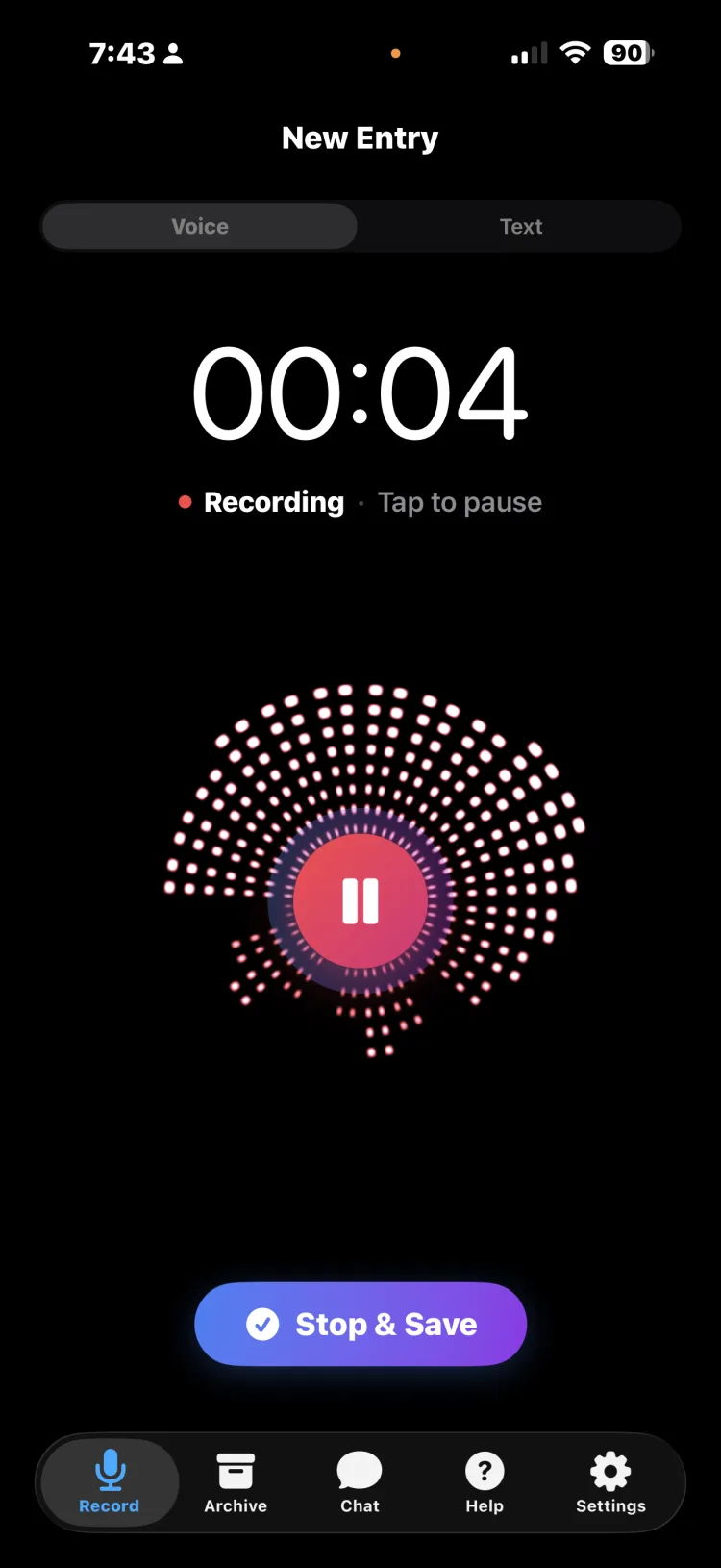
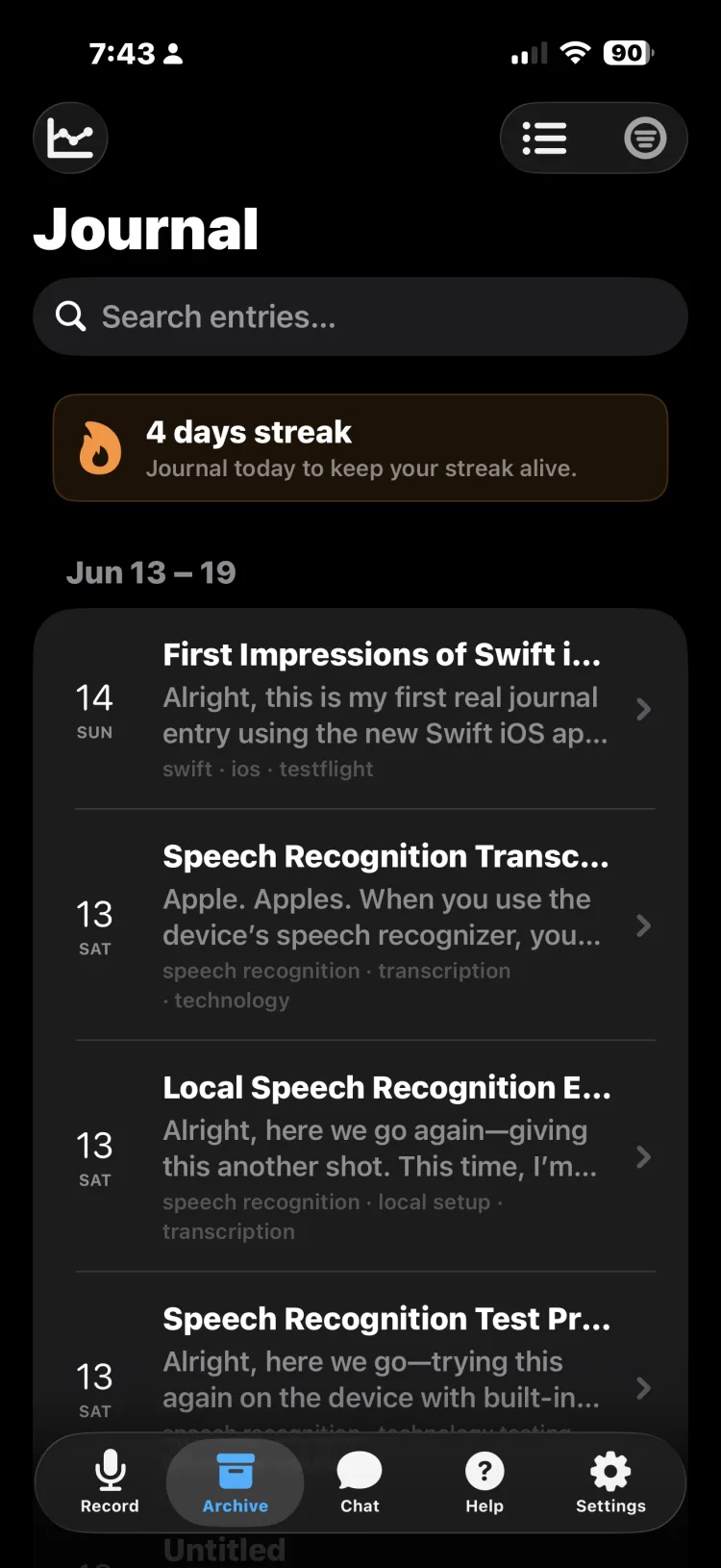
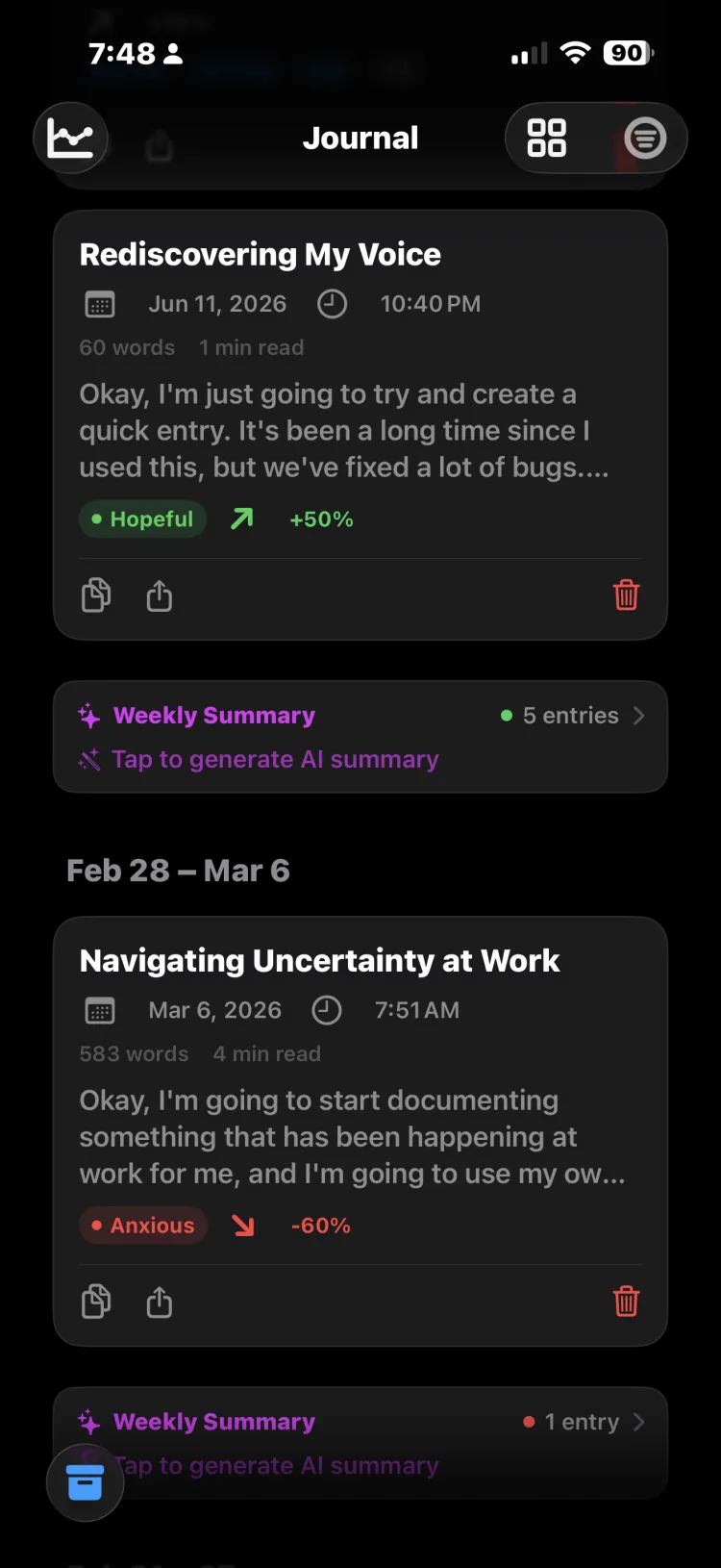
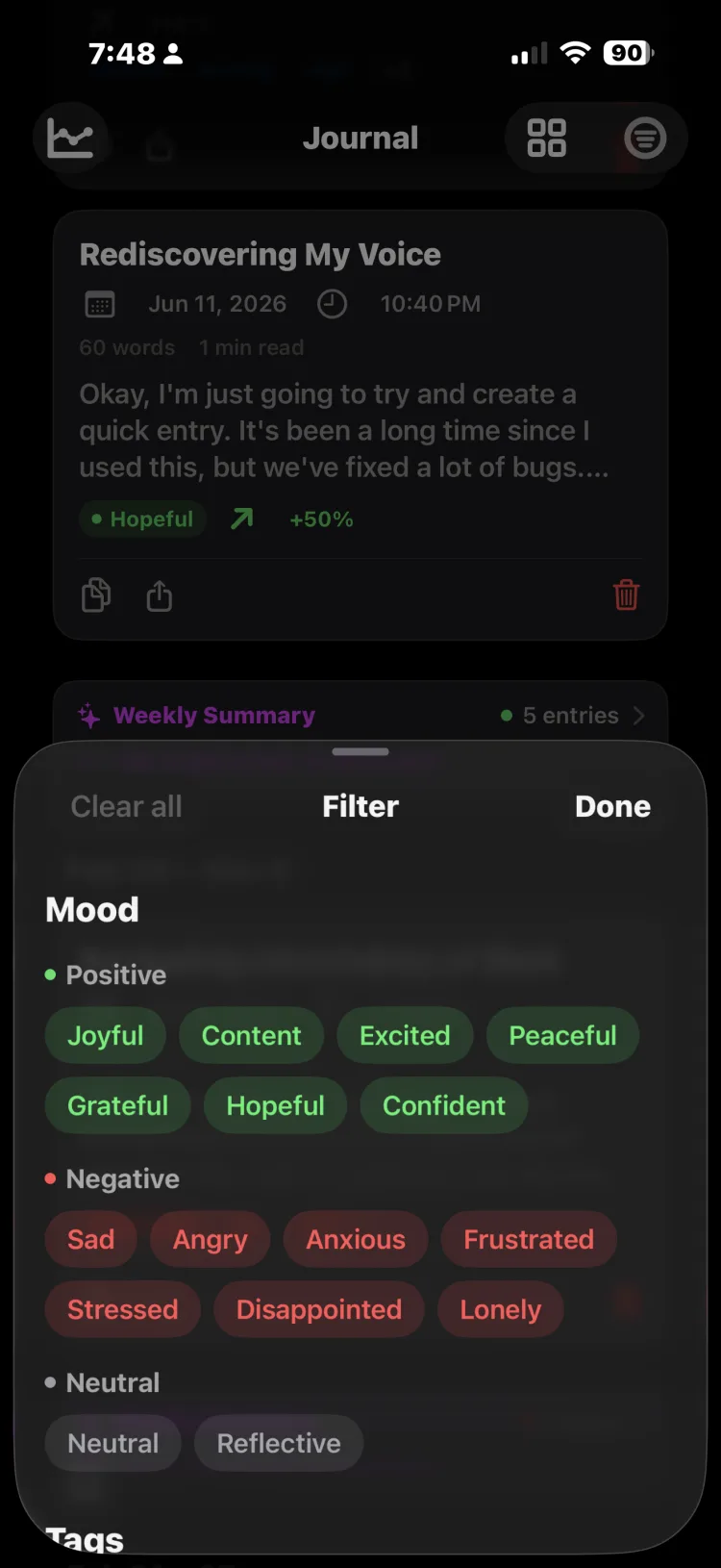
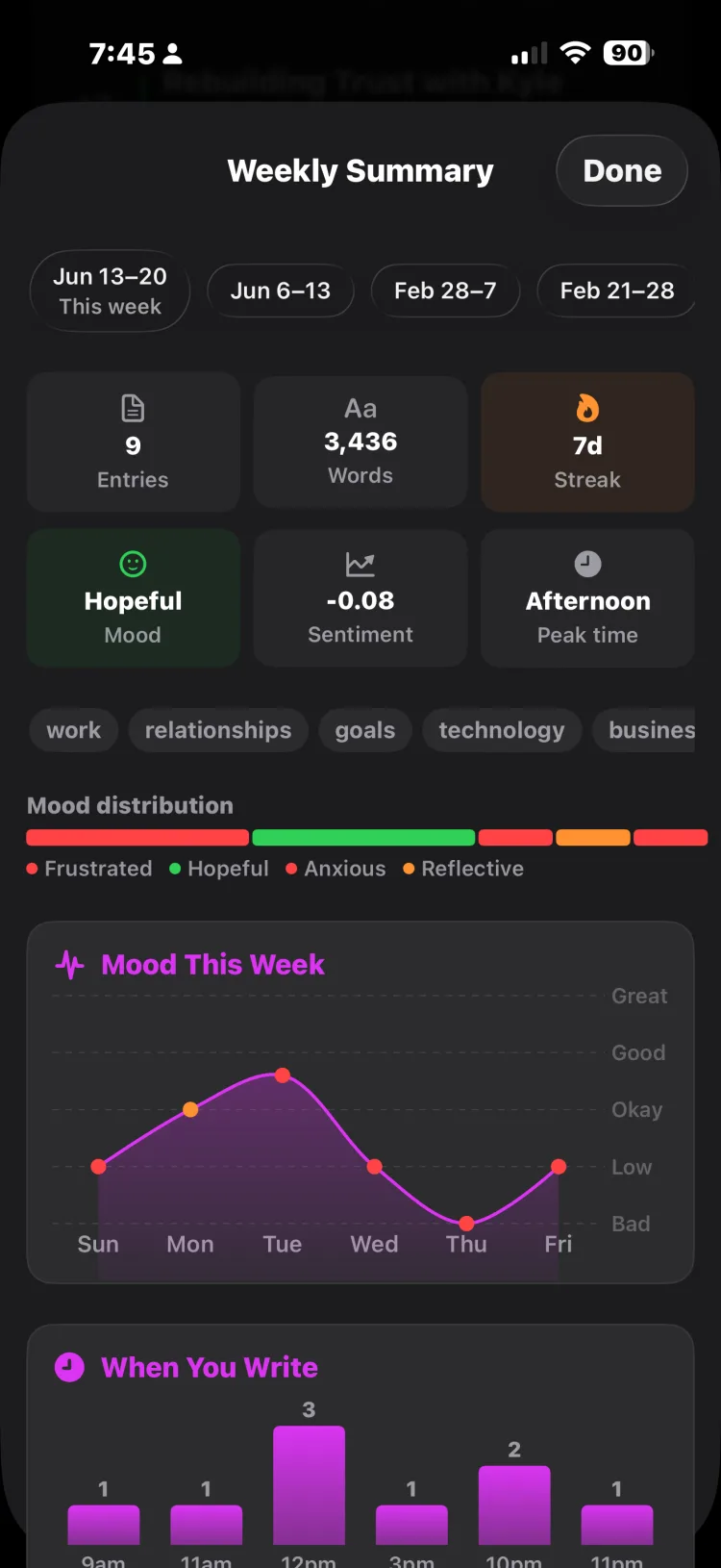
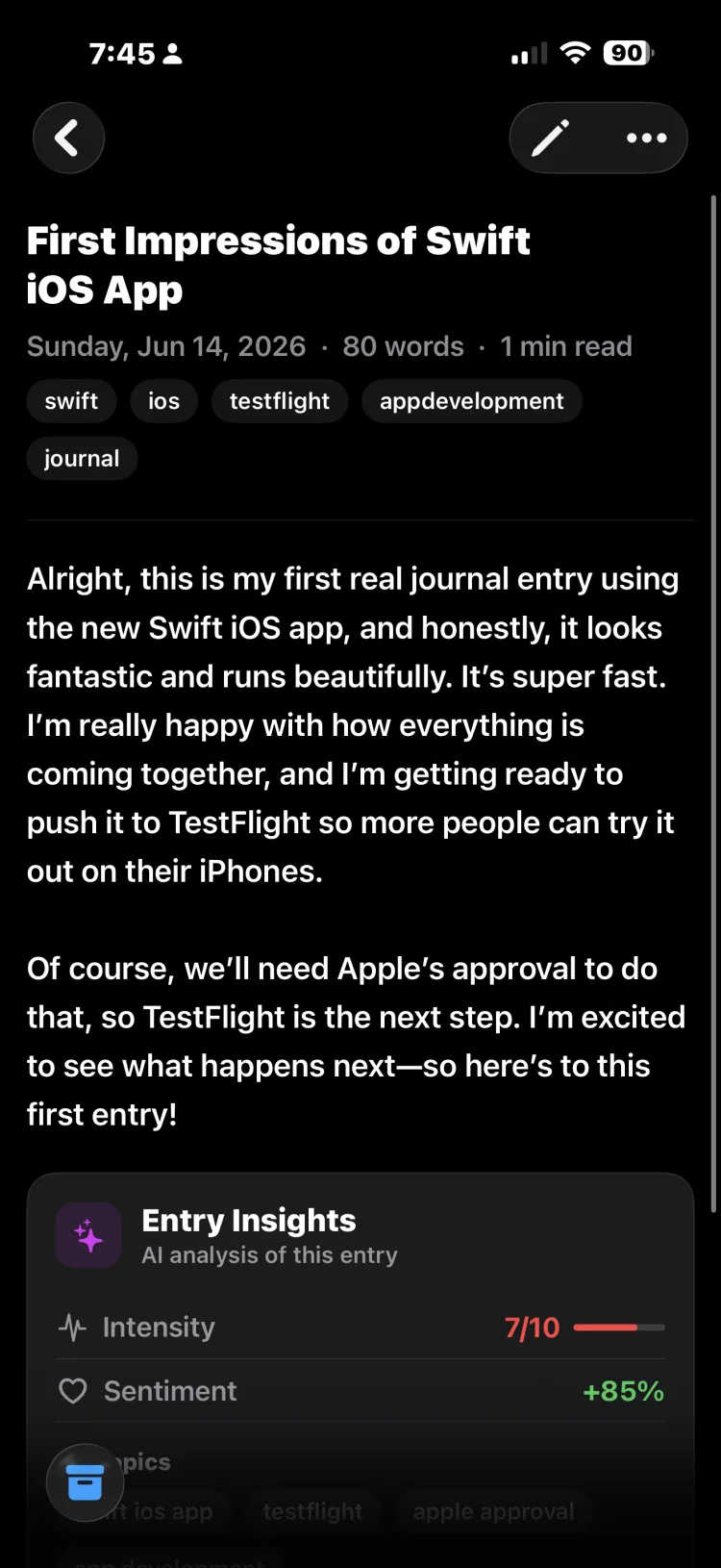
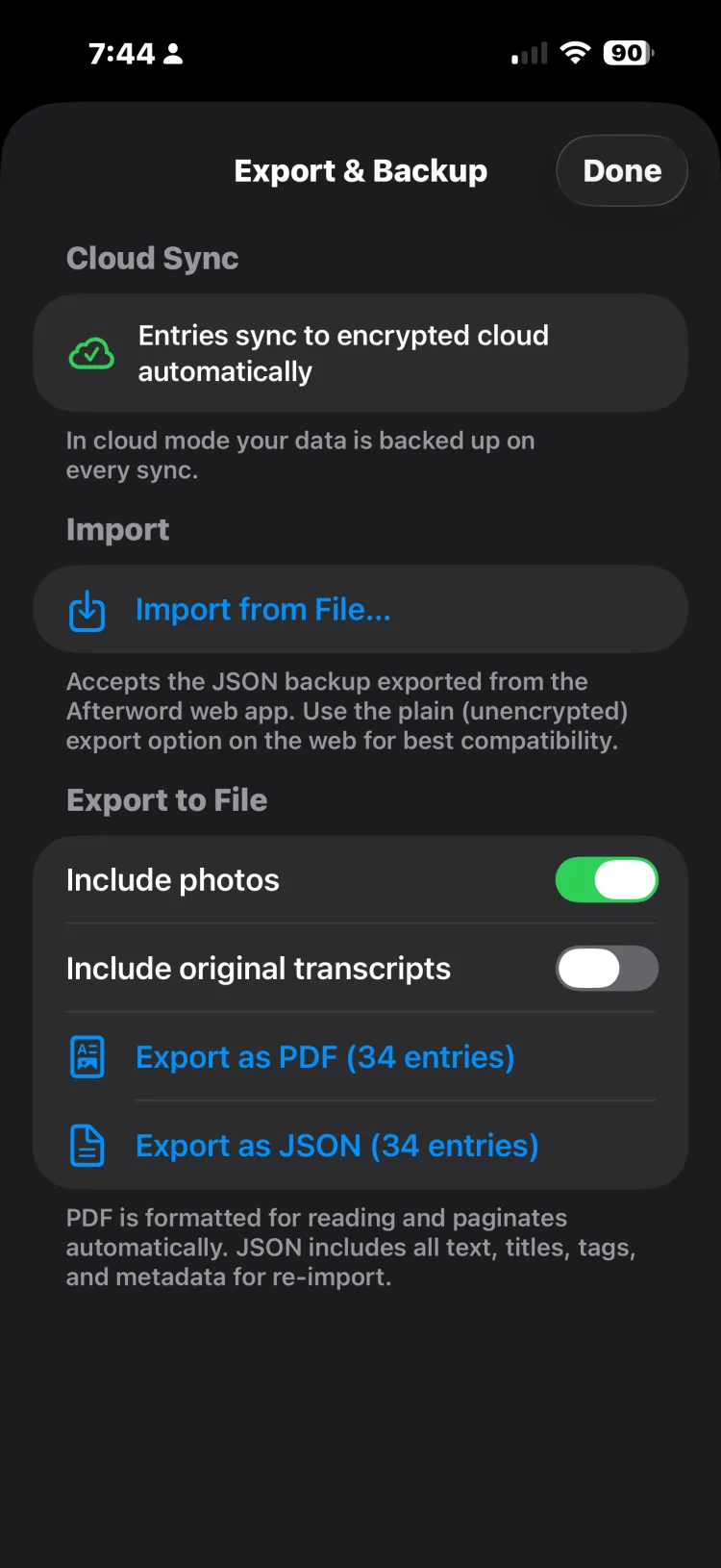
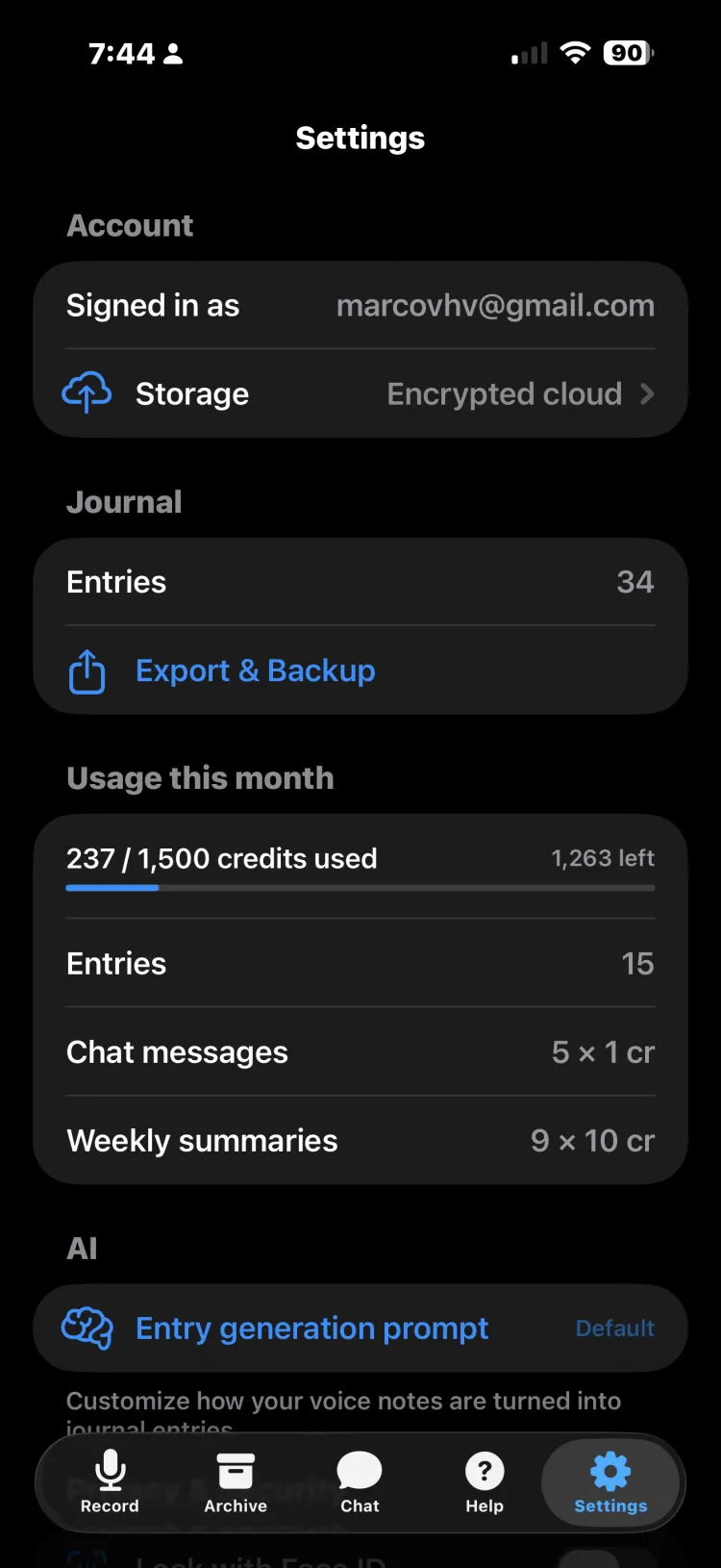
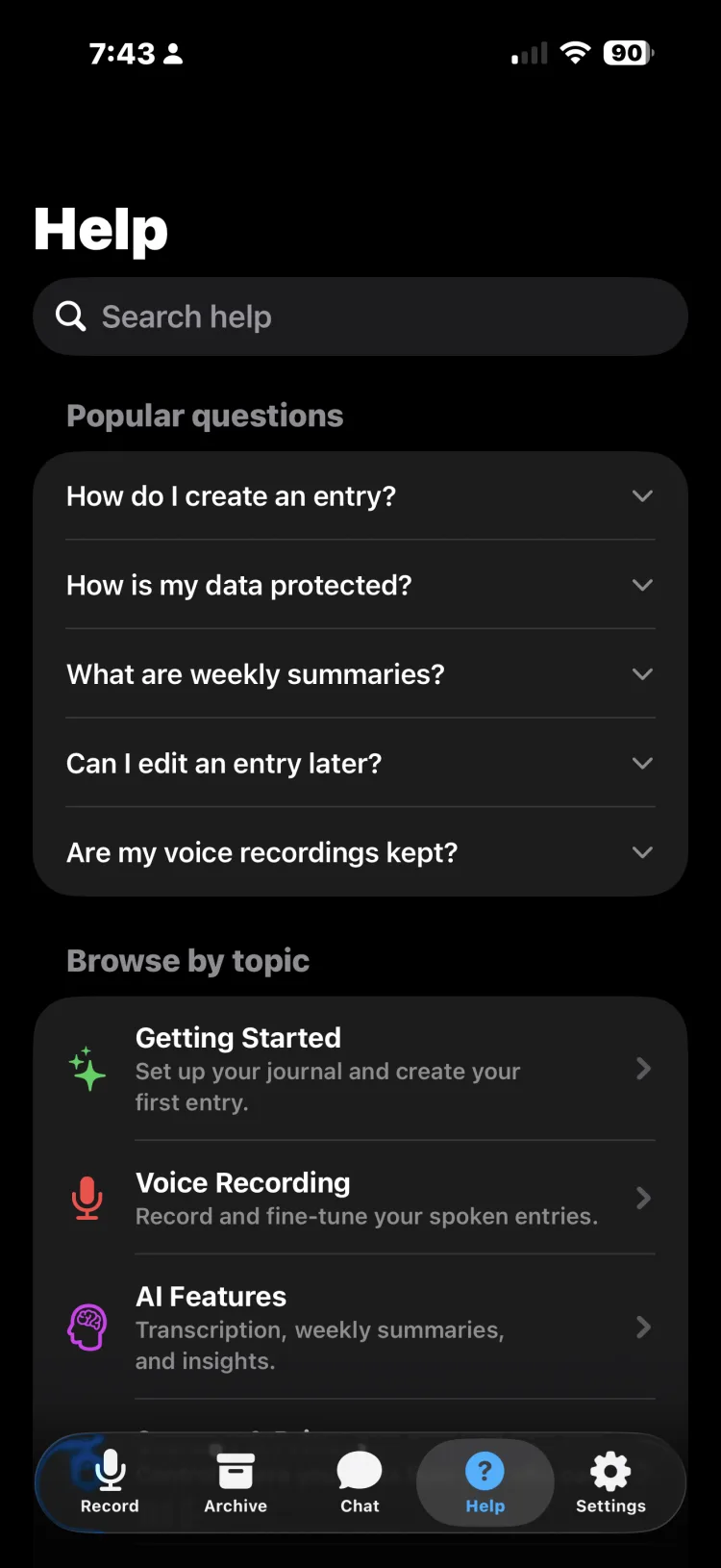
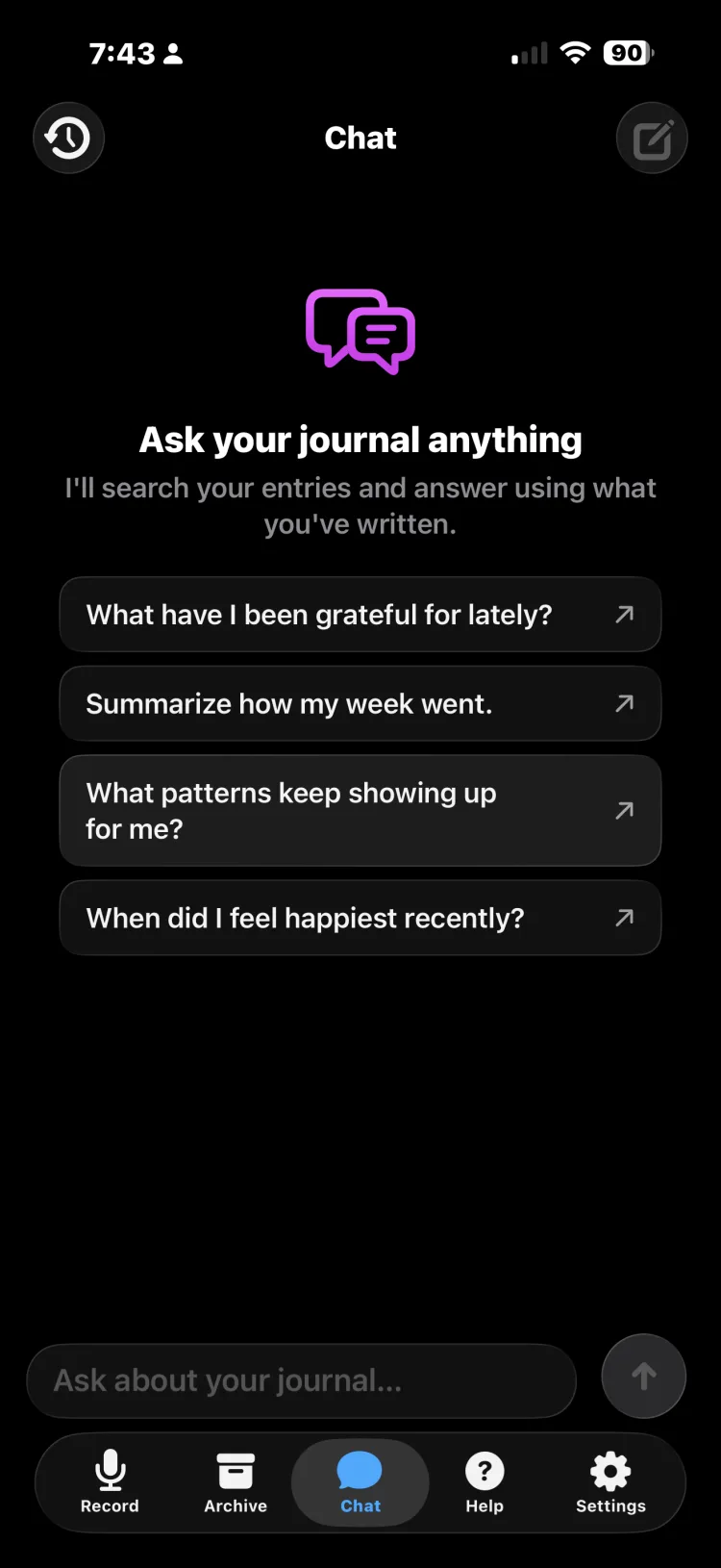
Dark or light — Afterword follows your iPhone’s look.
How it works
From a thought to an entry in seconds
Speak your mind
Tap record and just talk — thoughts, feelings, what happened today. No typing, no blank page staring back at you.
AI writes it up
Afterword transcribes your voice and shapes it into a clear, well-written entry — with an auto title, tags, and mood.
Look back
Revisit your entries, watch patterns emerge over time, and even chat with your journal to rediscover what you’ve lived.
Capture
Getting it down is effortless
Voice or text, with photos — whatever it takes to catch the moment before it’s gone.
Speak, don't type
Just talk. Afterword captures your voice and transcribes it accurately — accents, pauses, and all.
Or type it
Prefer to write? Switch to text and jot an entry the classic way. Voice or keyboard, same journal.
Photos in your entries
Attach photos to a moment so a memory has a face, a place, a scene — not just words.
A dated timeline
Every entry is timestamped and organized into a timeline you can scroll back through, week by week.
The AI does the writing
Your words, beautifully written up
AI shapes the entry
Your words become a coherent, readable entry that keeps your voice and meaning — not a raw transcript.
Auto title, tags & mood
Every entry is organized for you — a fitting title, useful tags, and a sense of how you were feeling.
Write it your way
Tune how your entries are written with your own prompt — concise, poetic, detailed, however you like to read yourself back.
Reflection
Afterword reflects with you
It’s not just a place to put words. Afterword helps you make sense of them.
Chat with your journal
Ask a question and Afterword searches your whole history to answer — with the entries it drew from, cited right there.
Weekly AI summaries
A thoughtful recap of your week — themes, insights, when you write, and how the week actually felt.
Insights & notable quotes
Afterword surfaces the lines that mattered and gentle life-coach suggestions rooted in what you actually wrote.
Your emotional journey
Mood and sentiment charted over 30 days, 3 months, a year, or all time — the trend, the mix, and where it’s heading.
Find & keep
Built to live with for years
Search, streaks, reminders, backups, and exports — everything a journal you’ll keep needs.
Search your whole archive
Find any entry fast — by words, tags, or meaning. Your history is always a search away.
Right from Spotlight
Opt in to find your entries straight from iOS system search — off by default, private until you turn it on.
Streaks that build the habit
A gentle daily streak keeps you coming back — journaled today, keep it going. No guilt, just momentum.
Gentle reminders
Optional nudges to journal each day and to review your weekly summary — local notifications, nothing leaves your phone.
Export to PDF
Turn your journal into a beautiful PDF — with your photos — whenever you want it in your hands.
Backup & restore
Keep an encrypted backup and bring your journal back safely on a new phone, with integrity checks built in.
Yours, and only yours
A journal is the most personal thing you’ll ever write. Afterword is built so it stays that way. Transcription and AI run on our servers to turn your voice into entries — your saved journal stays encrypted.
End-to-end encrypted
Saved entries are encrypted on your iPhone with a key only you hold. The server only ever sees an unreadable blob.
On-device or cloud — your choice
Keep everything local to your phone, or turn on encrypted cloud sync for safety and multiple devices.
On-device transcription
Flip one switch and your voice is transcribed entirely on your iPhone with Apple speech recognition — audio never uploaded.
Lock with Face ID
Add Face ID or Touch ID with auto-lock, so your journal stays shut even when your phone is open.
No ads, no tracking
No ad networks, no tracking SDKs, no selling your reflections. Your journal is not the product.
Delete anytime
Permanently remove your account and all of your data from Settings, whenever you decide.
The difference
Everything else still expects you to type.
Recording your voice is the easy part — plenty of things do that. The hard part is what happens next. A voice memo leaves you an audio file you’ll never play back. A transcript leaves you a wall of ums and half-sentences. Afterword is the one that hands you something written.
What a transcript gives you
um so today was, I don’t know, it was kind of a lot actually. I had that meeting with Priya about the — about the roadmap thing and I went in thinking I was gonna have to fight for the timeline and they just, they just agreed? like immediately. which was great but also I spent like three days being anxious about it for no reason which is, yeah. that’s a pattern I think. and then afterwards I walked back through the park because it was actually warm for once and there were people out and I sat on the bench near the pond for a bit and just, I don’t know, felt okay. like genuinely okay. I should do that more. um. also I still haven’t called my mom back, it’s been like a week and I keep meaning to and then it’s 10pm again
What Afterword gives you
Three days of dread, five minutes of yes
Tuesday 14 July · Relieved
The roadmap meeting with Priya went nothing like I’d braced for. I walked in ready to fight for the timeline and they agreed straight away — no argument at all. Good news, obviously. But I’d spent three days anxious about a conversation that resolved in five minutes, and I’m starting to think that’s a pattern rather than a one-off.
Afterwards I walked back through the park. It was warm for the first time in a while and people were out, so I sat on the bench by the pond and did nothing for a bit. I felt genuinely okay. I should do that more often.
Still haven’t called Mom back. It’s been a week now — I keep meaning to, and then it’s suddenly 10pm again.
An illustrative example — the same recording, both ways. Nothing was added that wasn’t said.
Plus gives you 600 credits — about 60 voice entries a month. On Pro it works out closer to 9¢.
50 credits on the house. No card, no seven-day countdown, no feature locked behind the trial.
Nothing about you is measured, brokered, or sold. The journal is the product you pay for — not you.
Not a notes app
A notes app hands you a blank page and a blinking cursor, then waits. Afterword starts with the thing you can already do: talk.
Not an AI therapist
No diagnosis, no program to complete, no companion waiting for a reply. It writes down what you said and helps you find it later.
Not a paywall maze
No Silver-versus-Gold, no AI held back for the top tier. Pick how much you journal; the app is the same either way.
A private journal built for the way people actually think: out loud.
Already looking at journaling apps?
They’re good at being journals. But in most of them the AI is a tier you upgrade into — and voice is something you attach, not something you write with. Afterword works the other way round: talking is the point, and every plan includes every feature.
Annual prices from each company’s own public pricing pages, checked July 2026, and they may have changed since. Day One, Rosebud and Mindsera are trademarks of their respective owners and are not affiliated with Afterword.
Pricing
Start free. Upgrade when it sticks.
Every plan includes every feature. Plans differ only in how many AI credits you get each month.
Free
No card, no trial clock — just try it.
Try everything, no card required.
- 50 starter credits (about 5 AI entries)
- Every feature included
- Encrypted & private by default
- No credit card required
Plus
or $69.99 / year — two months free
For a steady journaling habit.
- 600 credits every month
- ≈ 60 AI voice entries / month
- Every feature included
- Cancel anytime
Pro
or $129.99 / year — two months free
For journaling every single day.
- 1,500 credits every month
- ≈ 150 AI voice entries / month
- Every feature included
- Cancel anytime
Need more some months? Credit packs.
Plus and Pro subscribers can top up with one-time packs. Pack credits never expire and are used only after your monthly credits run out.
Prices in USD; billed through the App Store. Credits power AI features — roughly 10 per voice entry, 10 per weekly summary, and 1 per chat message. Subscriptions renew automatically until cancelled in your Apple account settings.
FAQ
Questions, answered
What is Afterword?
Afterword is a voice journaling app for iPhone. You talk — about your day, your thoughts, whatever is on your mind — and AI turns the recording into a well-written journal entry with a title, tags, and a mood. It also builds weekly summaries, tracks emotional trends, and lets you chat with your journal to rediscover past entries.
How is it different from Voice Memos or Apple’s Journal?
Voice Memos leaves you an audio file, and Apple’s Journal gives you a raw transcript of what you said. Afterword is the step further: it writes your spoken thoughts into a finished entry you’ll actually want to reread, then adds summaries, mood trends, and AI chat over your whole archive — things neither of those apps do.
Do I have to type anything?
No. Talking is the whole point — tap record, speak as long as you need, and Afterword writes the entry. If you ever prefer to type, a classic text mode is there too.
Is my journal private?
Yes. Saved entries are encrypted on your iPhone with a key only you hold, cloud sync is optional, and you can lock the app with Face ID. Afterword contains no ads and no tracking SDKs, and your journal is never sold or used to train AI models. You can even enable on-device transcription so audio never leaves your phone.
How much does Afterword cost?
Afterword is free to download and free to try — 50 starter credits (about five AI-written entries) with no credit card required. Plus is $6.99/month for roughly 60 entries a month, and Pro is $12.99/month for roughly 150. Every plan includes every feature.
Is Afterword available on Android?
Not yet — Afterword is currently iPhone-only, available on the App Store.
Afterword is on the App Store
Download it for iPhone, start free with 50 credits, and speak your first entry today.